
A connect card turned in on Sunday.
A reminder of why we do it.
A connect card turned in on Sunday.
A reminder of why we do it.




Have you ever played one of those “what is this close up” games? You know, you think it’s a sunflower and it turns out to be a bumblebee?
I’ve had that same experience with church management software. This week, I was examining CCB Process Queues. I love them. When used appropriately, they can streamline a lot of processes and centralize some communication.
So I looked closely at each queue and each process. And they each looked great.
And then I stepped back and took the 30,000-foot view (by the way, I’ve been made aware that I just used one of the most annoying business phrases).
And I saw a few things: they weren’t working the way I thought they were and the people receiving the alerts weren’t seeing the same things I was seeing.
It’s not a secret that CCB ranks pretty high up on my list of top Church Management Software programs. I also realize that most [normal] people don’t quite love this as much as I do.
It’s my goal to help people understand the why and the what before introducing the how.
So, I called my doctor and asked for prescription anti-anxiety medication, considered moving to a tropical island, offered to suspend the process queues for awhile and try [revert back to] something different [and familiar].
I think I saw the person on the other side of the desk let out a sigh of relief.
I also signed away my weekend, but who are we kidding? This is CCB. When people [at work] ask what I do for fun I tell them that this is what I do for fun. Sometimes I forget I’m working. When I do remember that I’m working, I’m grateful I get paid to do this.
I’m not killing off process queues. I still love them. I still understand their value. There’s definitely a goal to begin using them again – soon.
In the close up view, I saw my computer and my processes.
Taking a step back, I saw the people.
Sometimes it’s in the best interest of the people to let go of a process in order to make progress.


Who is working this week?
I am.
I’m doing a lot of planning and groundwork so that I can hit the ground running in 2018!
This is a good week to review all of your communications assets – from the outward facing web site and social media accounts to your office productivity assets.
This week I know of one church that saved almost $90/month by moving to GSuite for non-profits.
If you’re using a Church Management Software, this is a good week to run some audit reports.
Enter all of the connect card information from your Christmas services. If your connect cards have any ‘response’ areas (check boxes; ‘write-in’ information), follow up with people this week. This time of year, people may be looking to (re)connect with church.
It’s also a good time to set some goals for the coming year. This year, I’ll be more focused on questions like:
I am excited about what God has done in 2017.
I am even more excited about what I believe God is going to do in 2018!

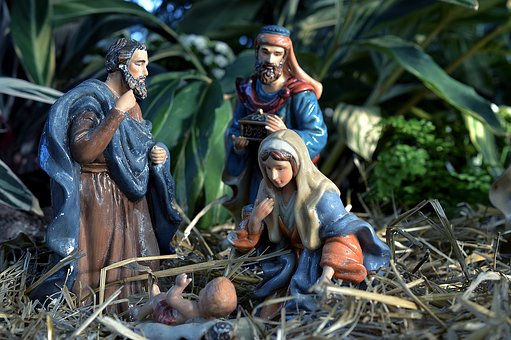
Christmas Eve and Christmas services have started. My daughter’s church had their service last night. Another local church had a ‘living nativity’ last night. My son will play with his church band three times tomorrow. There’s a church nearby that has services today (they are having a hot chocolate bar and a photo booth!). A few members of our family are attending a service tomorrow morning.
At this point, you’re probably expecting this post to be about follow up, connecting with your guests, updating your web site, and helping your guests take their next step.
I think you already know how I feel about all of that. If not, here’s a recap:
But what this post is really about is permission to not do all of these things.
That’s right. Permission to let it go.
What if you get 50 connect cards entered into your system on Christmas Eve night, but haven’t stopped to pray with one person?
What if you say hello to 100 people, but don’t stop to ask any of them how they are doing?
What if you update your web site and social media Christmas Eve night, but don’t consider who might be seeing those updates?
What if you have all of the next steps in place, but no one takes them?
Use wisdom and discernment this Christmas season and find balance between working as unto the Lord, and letting the Lord work in and through you.


This morning I was talking with a client about a strategy we’re going to use in promoting an upcoming conference. One of the things I told her was that I wasn’t just going to do everything, but that I was going to include her in the why and how of everything I was doing.
I don’t want to just DO – I want to leave her with the tools she’ll need if she ever needs or wants to do it herself. I want to give her all-access to all of my tools. I want to leave her and this ministry better than I found it. We’re working on a conference for 2018. If she needs me for 2019, I’m happy to help. But even better would be if she is empowered to not need me for the 2019 conference.
Some would say I’m working myself out of a job. Maybe. Our real job is to make disciples (Matthew 28:19).
So, other than the database (by far my favorite tool I use for church connections, assimilation, and organization), here are a few of my other favorite tools.
1. Mission Insite. Empower your faith-based or nonprofit organization with the tools to answer today’s most difficult strategic challenges. You may already have access to this. Check to see their current clients: http://missioninsite.com/our-clients.
2. Canva. Create graphics, apply for a free business plan and upload your brand colors, fonts, and create templates. I love Photoshop, Lightroom, After Effects, and the entire Adobe Suite. It’s not always practical. There are a lot of churches that only provide programs like Microsoft Publisher to their admin. staff. Canva is great for creating and also team collaboration.
3. Heatmap tools. Real time analytics for your web site. This will help you see where and how people are interacting with your web site.
4. Ministry Designs. WordPress is awesome, but not always easy for the staff of a small-to-medium sized church. Ministry Designs helps me empower my clients to work on their own web site. I told my client today, I am going to hold your hand through this initial process. Soon you’re going to be able to say, “I do web sites.”
5. YouVersion Events. (Any of Life.Church’s resources are great.) Upload your event, add information about your church, Bible verses, a sermon outline, weekly announcements, a link to an online connect card, etc.
6. Google Keep. With Google Keep, I can create daily to-do lists and share the with collaborators so that they can see what I’m working on and add, delete, or comment on items. You can create lists with check boxes or in ‘note’ form.
Other tools I will use are TechSoup, GSuite for e-mail, Google/MyBusiness for business analytics, MailChimp, Asana, and graphics from graphics.church, Church Butler, and SundaySocial.tv.
Now it’s your turn. What are some tools you love to use?


In addition to the database, there are some other things I like: strategy, connections, social media, web content management, and graphics. I really focus a lot on visual consistency.
Someone recently asked me how I merged the visual side of my brain with the analytical side of my brain.
Here’s the answer:
I try to understand both sides of the table. I’ve worked with people who are 100% ‘analytical’ people. Some of our best friends serve in Executive Pastor roles. I get where they are coming from and don’t disagree with them.
I also understand that we live in a ‘visual’ oriented world and statistics show that people want their information in 140 characters or less.
The great thing about most of the current Church Management Software programs is that most of them offer integration with the public web site and other integration areas.
For example, CCB will give you the option of publishing an event to a public web site. When creating the event in CCB, you also have the option of an event-image. You can then share that event on social media. The CCB event image should be a 16:9 ratio so I usually create a second image square to share on other social media channels. In addition to your event image, you can have an image on the sign up form and sign up forms can be directly shared on social media. With small changes, you can have the same image for the event, and the sign up form, as well as other social media channels.
For your CCB forms page, you can further edit the image so that rather than a great wall of text, your sign up page displays a ‘clickable link.’ You can even create small buttons that will display on the confirmation page. These buttons can direct people back to the forms page, back to your church web site, or back to your CCB log-in or home/welcome page. Using a graphics program, create the buttons in whatever size or color you need to meet your branding specifications. This makes it easier if you’re using ipad kiosks to sign up for events.
Not only do these create visual consistency for your end user, they can help save you time. Once an event is entered in the software, it will automatically go to your web site, saving you valuable time and reducing the chance for errors that could come from either using ‘cut-and-paste’ or typing the same information twice.
What are some ways you’ve synced your ChMS with your web site and social media?


Most of the time, this blog is dedicated to how we use Church Management Software. I also know that the software is just a tool we use in the overall guest strategy process: getting our first time guests connected to our church and committed to our mission. So today we’ll look at the overall process of guest services.
I’ll admit it. I’m a big fan of some things people would call attractional. Have a hot cocoa bar or stock your coffee bar with some extra seasonal treats (peppermint mocha creamer).
Have a photo booth, have Santa (yes, in church!). You might want to stop short of a car give-away or hiring a helicopter to drop money from the sky. Unless, of course, you’ve earnestly prayed and God is calling you to do that. Then by all means, do it.
But for some churches, the budget for these things just isn’t there.
Here are 8 free things you can do to serve your guests this Christmas:
1. Check your web site and social media. This is the first step in your guest services process. People are checking you out online before they decide to visit your physical property. Is everything accurate? If a sign up or tickets are required for a special Christmas service, is there a way to respond online? Are your event images, event branding, and church branding visually consistent?
2. Have greeters stationed outside the door. Once I’m on the property, is it clear that I know where to go? I’m a big fan of parking teams, but if you don’t have a parking team, at minimum, have a door greeter or two stationed OUTSIDE the door. Yes, I know it’s cold. Gloves. Hat. Warm coat. A smiling face. Your first time guests are in their car and you may have multiple entrances. Make sure there is someone outside welcoming them.
3. Have your staff and volunteers park furthest away. I know of a church that meets in a shopping center/strip mall. They frequently ask their staff and volunteers to park in the back. Should your staff and volunteers park off-site and carpool or can you arrange a volunteer shuttle? Do whatever it takes to free up prime parking spaces for your guests this Christmas.
4. Declutter. We’re in a season of Nativity Sets and flowers. Great. How much of that is there because it’s necessary and how much is there because a prominent church member donated it and that’s where it’s always been? I have a friend who is a real estate agent and when someone is trying to sell their home, the first thing she tells them is to declutter. Get all of your stuff off your counter tops and shelves because people want a clean slate. They want to envision their stuff in your home. Do you have so much in your ‘home’ that people can’t imagine being a part of it? Give them open space to imagine themselves being there.
5. Clean. Unless you’re not in the habit of cleaning regularly, this will cost you. At minimum you need some cleaning cloths and a multi-purpose spray. I hope you already have this. Go in Saturday night and take out the trash, wipe down bathrooms, make sure there’s plenty of toilet paper and make sure it’s two-ply (yes, I went there). Are the soap dispensers full? Okay, so this may cost you a few dollars (be thankful for dollar stores). Run the vacuum, and check for stray pieces of trash in the worship center. You get the idea. Tidy up.
6. Communicate and explain. Your church may take communion differently than the one I normally attend. That’s okay, but do I know that? For example, I know one church that passes the communion plates and each family prays together as a family and takes communion in their own time as music is softly playing. Another church passes the plates, waits until everyone is served, and their Pastor leads them in taking communion together, and yet another church has communion stations. It is not served, you go take communion as you’re led. None of those are ‘bad’ ways to take communion. Each is very different. But would you know what to do if you weren’t told?
Explain what you’re doing every step of the way. Believer or non-believer, if I don’t go to your church, I don’t know your traditions. In addition to this, tell people a little bit about your church and how they can get involved going into 2018. Tell them about small groups, children’s ministry, your next big event, etc.
Don’t neglect internal communication.
If your children’s ministry is doing something different than normal, make sure you tell your greeter ministry so they can be prepared to answer questions as guests arrive.
7. Say goodbye. Have a greeter stationed at every outside exit. Tell your guests goodbye and thank them for coming. I don’t just mean from the worship center to the lobby. Say goodbye as they exit the building. “Bye. Thank you for coming. Have a Merry Christmas.”
8. Follow up right way. Yes, I get it. It’s Christmas Eve (Sunday) or Christmas Day (Monday), but I guarantee you there is someone willing to make the sacrifice. Get those guests entered into your database (Church Management Software was going to play a part in this post somewhere) and follow your normal follow up procedures. If your follow up procedures include a Monday phone call, that could wait until Tuesday. For 2017, I would get them entered Sunday night and send an email that night thanking them for coming, telling them what’s next and how to get connected. Whatever you do, don’t wait a week. It’s normal for churches to take a week off between Christmas and New Years. As a connections person, I had a tendency to work or serve when it was normal for others to be off. I want to get those guests connected and if coming to church more is part of their New Year’s Resolution, I want to help them with that.
All of these things are 100% free. What else can you think of to add to this list?

 This morning our family visited a new church. This week, I had spoken with the Lead Pastor and one of their Elders and they both knew of my
 love for knowledge of neurotic obsession with CCB (Church Community Builder) software.
Their web site and social media gave us enough information to know where we needed to go and a general idea of what to expect when we got there.
Their greeting team did a great job of telling us the important information: where to take our kids, where the bathrooms were, where to get coffee. We were walked to (not pointed to) the children’s check-in area.
It was there that this magic happened. The Elder serving at the children’s check-in desk was helping to explain to someone a new thing they were trying with CCB check-in and said, “she [pointing to me] wouldn’t mind being our guinea pig and testing this for us.”
Wouldn’t mind!? That’s a bit of an understatement. Does this guy know who I am and what I love? Jesus. Family. Coffee. Church Management Software. I try to keep it in that order. I’m not always good at it.
“Wouldn’t mind.” Make that: “happy to…” “I’d be mad if you didn’t ask me…” “I’ll report for work on Monday morning. Where’s my office?”
Okay, I didn’t say that. I thought it. I didn’t say it out loud.
I did tell him I’d blog about it. So here it is.
Their children’s team did great and when I pointed out that it may be taking too long to check in a new, first-time guest and made a suggestion about about what I’d seen and helped with at other churches, they listened. I don’t know if they’ll do what I suggested. But they showed an interest in what I said. (They may be blogging about the crazy first-time guest who tried to tell them how run their church.)
The Children’s Pastor took us from there to where we’d leave our youngest son. (Again he didn’t point; he walked us to our destination.) Our middle-school daughter had the option of staying with us or participating in a Bible study. This morning, she chose to stay with us. He asked me how I came to love church management software. I told him that while serving as Next Steps Director at another church, I saw it’s power and ability in helping us get guests connected and retaining them long-term. He said he’d only really been using it for about a year. (It’s okay, I’m here to help. I’ll report for work Monday morning. Where’s my office?)
Side note: I’ve been known to tell churches that they didn’t even have to pay me. That I believed so much in this software helping them, I’d help them implement it for free. With two kids in college and rising insurance rates, my husband has suggested that I rescind that offer.
We saw a few friends. One we saw just last week. Another we hadn’t seen in 19 years. It was great to see them both.
After service, we got to chat with the Pastor and his wife. The Pastor asked us to send an email with our feedback. I’d send an email if I had anything critical to say. Because I have nothing critical to say, I’ll post publicly on my blog.
This morning was fantastic. I have no doubt, we will be back.
And any time you need a guinea pig to test a CCB feature, please use our family. We are happy to help.

There are days when all I think about is strategy and people.
The database. How do we maximize it’s use? How do we use this tool we’ve got to help us do our jobs better and smarter? How do we teach? How do we train? How do we help others understand it’s value?
Social Media posts. The internet never sleeps. We are on 24 hours, 7 days a week. How are we responding to the world around us? How are we telling our stories to our community? Do they know us? Do they trust us?
Our web site. Does it reflect who we are? Is it clear? What are our exit rates off pages? Our Google rankings? How do we make it better? How do we make it the best?
I pray over the people I don’t even know who are searching for something. Do they trust that we are here to help them find the answer?
When they come, what do they see? What is their experience? How and where are we getting them connected? Do they understand each next step? Is it clear? Is it confusing?
How and what are we communicating?
Everything communicates.
Everything.
“Why are you the way you are?” A friend asked me that exact question this weekend.

Just another WordPress.com weblog
the process of progress
Nonprofit Communications Consultant & Writer on the Topics of Life, Faith, and Relationships
Connective Tissue: Two-ply for Your Noggin
 MarcyCarrico.com